Engineering case study
ProxiTrack
An independent Android application for coordinating field work and workforce operations.
Overview
ProxiTrack is an independent Android application for field operations. The supplied screen set illustrates worker sign-in, shift attendance, location-aware check-in, assigned work orders, task checklists, and synchronization status.
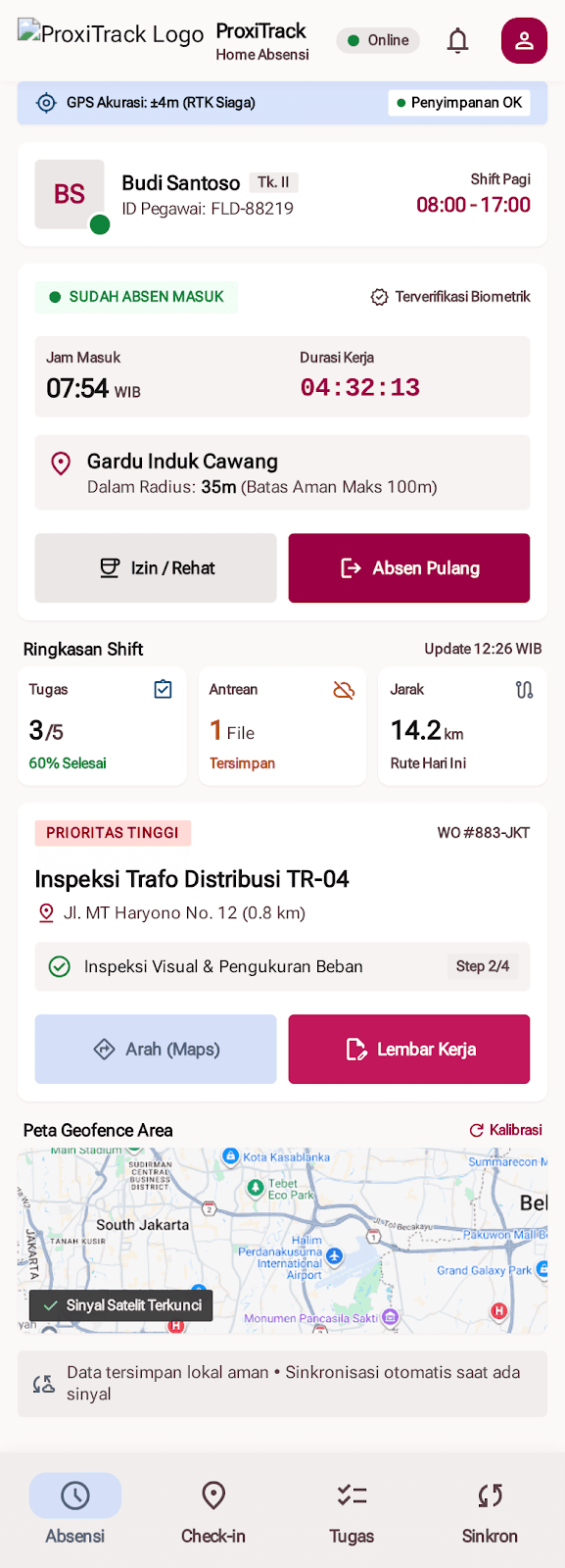
The experience is organized around a field worker’s daily loop: start a shift, confirm presence, review assigned work, record inspection progress, attach evidence, and keep track of what has or has not synchronized.
Context and objectives
Field teams often work across multiple sites and may move through areas with inconsistent connectivity. The concept explores how an operations interface can keep task status, location context, and pending data visible without making the worker navigate through dense administrative screens.
Its design goals are quick status checks, clear next actions, practical one-handed use, and visible distinction between completed, queued, failed, and location-dependent steps. These are goals expressed through the UI concept, not measured field outcomes.
Primary workflows represented
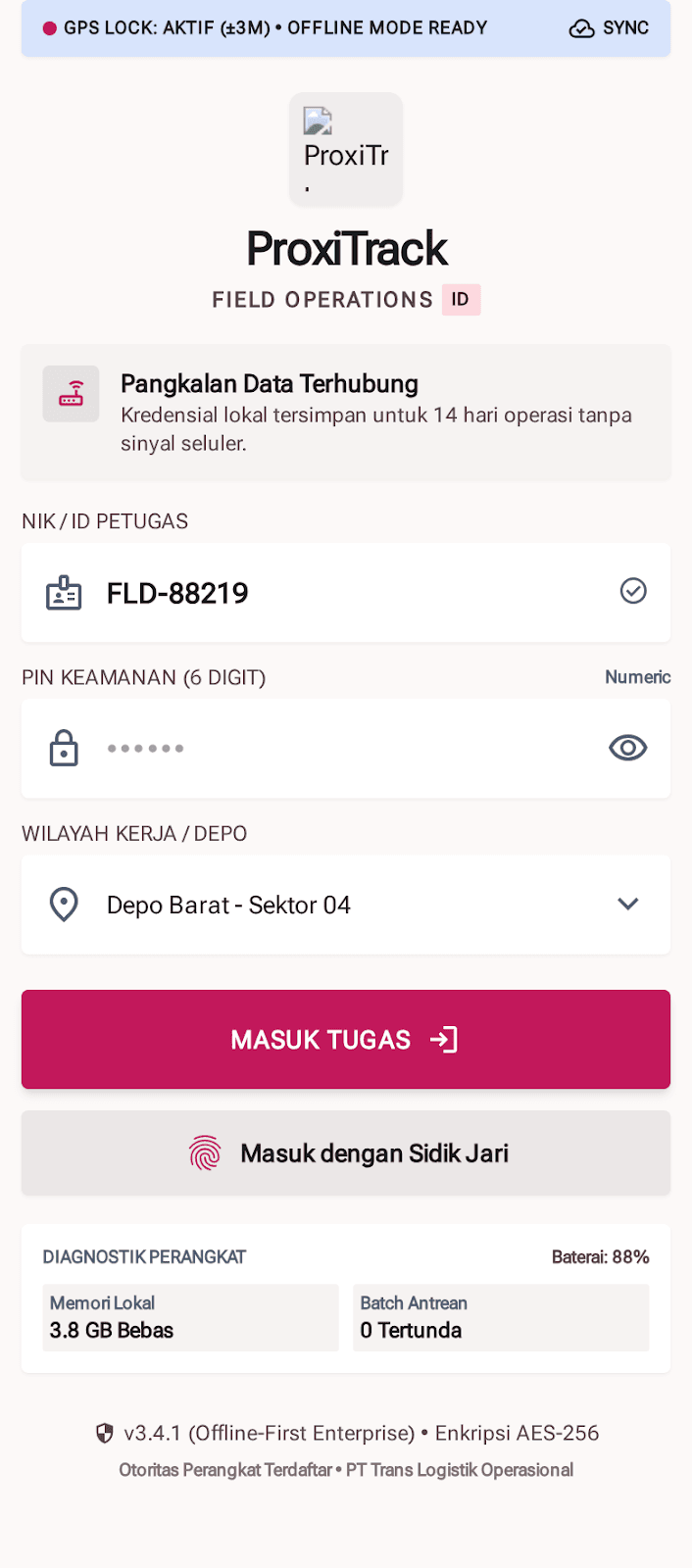
- Sign-in concept with worker ID or PIN, work-zone selection, and device-status summary.
- Shift dashboard with attendance state, current work location, progress summary, and task shortcuts.
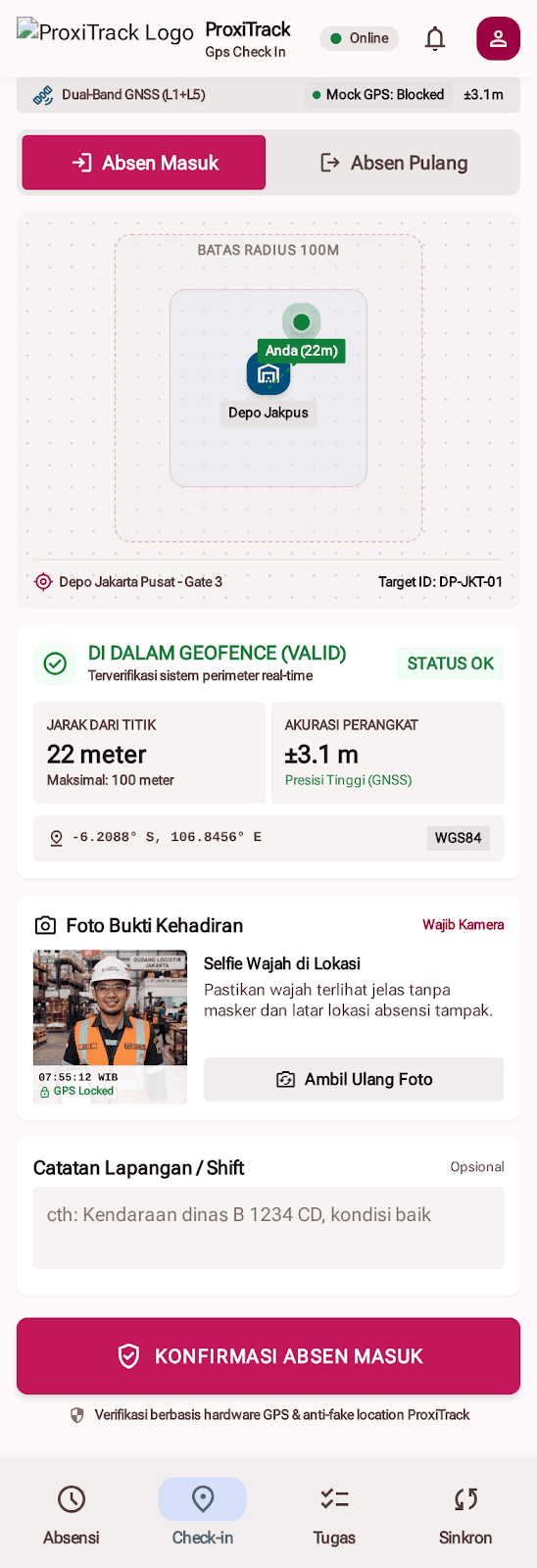
- Check-in concept showing a geofence boundary, sample distance and accuracy, and a prompt for photo evidence.
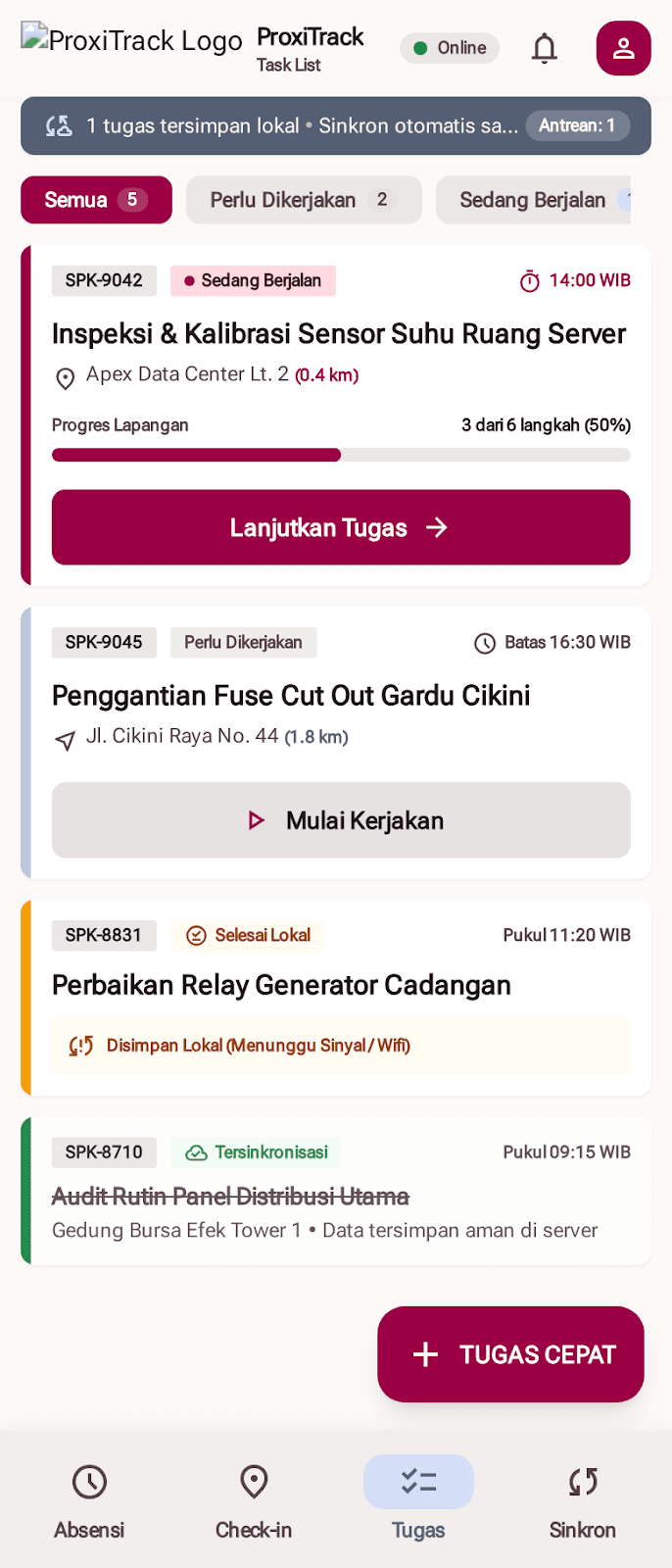
- Work-order list separating work that needs action, is in progress, is complete locally, or is synchronized.
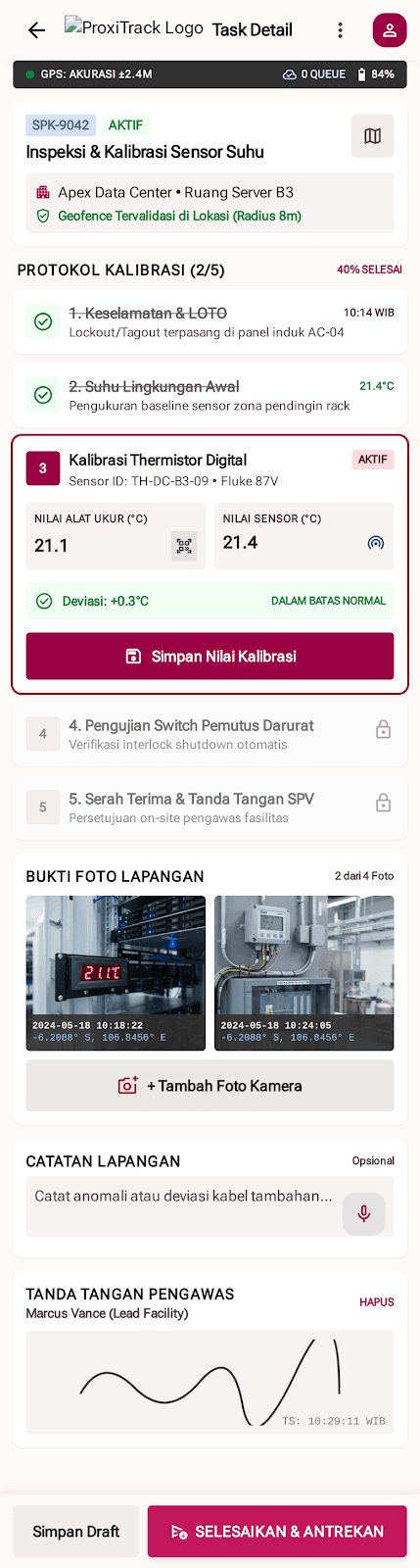
- Task detail concept with a step-by-step inspection checklist, measurement fields, evidence photos, notes, supervisor sign-off, draft saving, and completion actions.
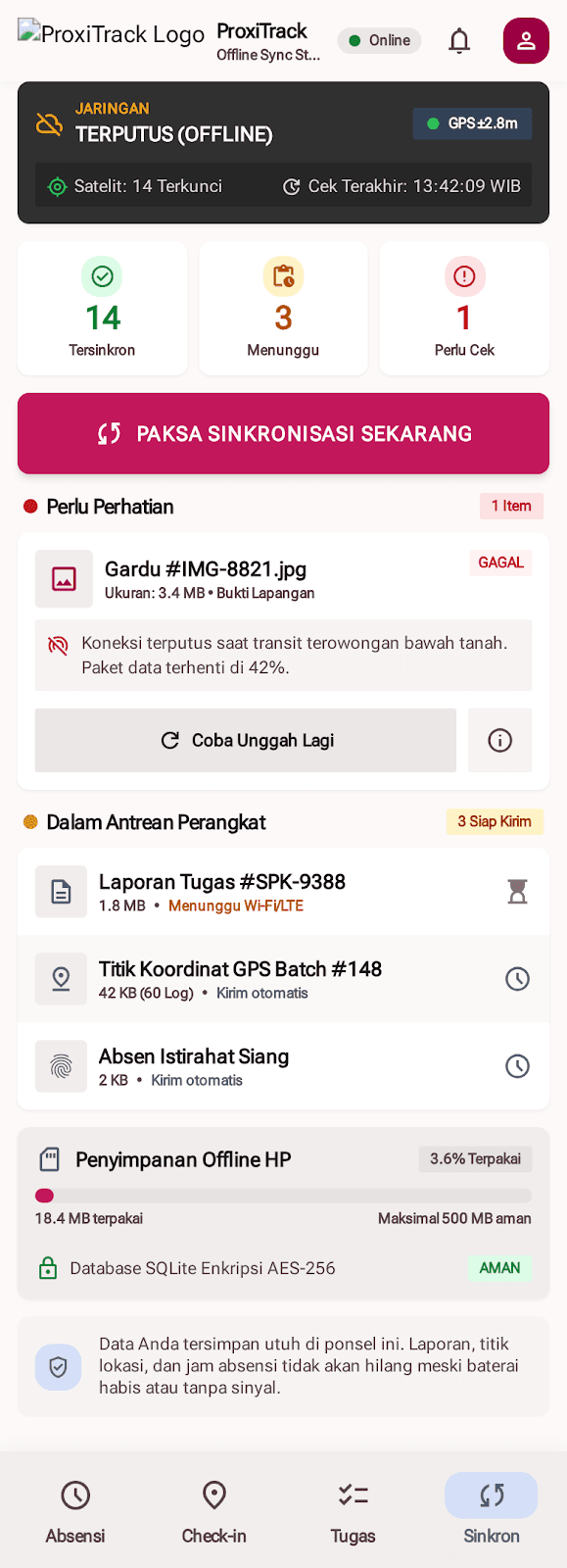
- Offline status concept with queued records, failed-upload retry, local storage status, and synchronization controls.
Workflow and state design
The screen concepts treat connectivity and task progress as first-class states. A completed task can be represented separately from a task whose data has reached a server; pending uploads and retry-needed items receive their own visible status. This helps a worker understand whether an action is complete locally and whether follow-up synchronization is still required.
The task detail screen breaks a larger work order into ordered checklist steps and keeps evidence, notes, and approval near the relevant work. The check-in screen groups location context and attendance action so that the operator can review the displayed state before confirming.
Interaction and visual system
The accompanying Field Ops Industrial M3 design specification uses Roboto Flex, an 8dp spacing rhythm, compact task rows, and high-contrast state colors. Crimson anchors primary actions, blue is used for location or telemetry context, green marks positive or complete states, amber indicates warnings, and red signals critical or destructive states.
The specification prioritizes 48dp or larger touch targets, larger action zones, lower-screen placement for frequent controls, dense but structured task cards, and clear labels suited to mobile field use. These are documented design requirements; accessibility or outdoor legibility has not been independently tested.
Prototype implementation
The supplied folder contains HTML prototypes of selected Android screens, styled with Tailwind CSS from its CDN, plus screen-level JavaScript demos. It includes a design-system document and mobile screen captures.
The product is an Android application, while these supplied portfolio materials do not include its native source code or connected workforce platform. They do not verify a backend, live GPS validation, biometric authentication, hardware scanner integration, server synchronization, or a production database.
Security and data boundaries
Some screens display security and device claims such as encrypted local storage, biometric verification, GPS anti-spoofing, or secure synchronization. They are sample interface copy in the concept and are not verified technical guarantees. No encryption design, threat model, authentication implementation, or location-validation service is included in the supplied files.
Employee names, organization names, work orders, coordinates, GPS accuracy, timestamps, battery readings, queue counts, and storage figures visible in the screens are illustrative demo values, not verified personnel or operational data.
Engineering questions for a production version
- Define the server API and conflict-resolution rules for queued work orders, photos, attendance events, and checklist updates.
- Specify location permission handling, geofence tolerances, spoofing threat assumptions, and what happens when GPS accuracy is insufficient.
- Design authentication, local data protection, key management, retention, and device-loss recovery based on a documented threat model.
- Set safe behavior for partially completed tasks, duplicate submissions, failed uploads, and supervisor approval.
- Validate task completion time, error rates, offline recovery, and usability with actual field workers and supported devices.
Concept disclosure
ProxiTrack is an independent Android product. The interface materials shown here illustrate workforce-management workflows; they do not verify specific production features, security controls, GPS performance, or measured operational results.
Project gallery
The following images come from the visual materials available for this project. Each case study explains the limits and status of the information shown.
Have a similar challenge?
Let's explore the right solution.
Tell us about the problem you’re working through and we can discuss a practical next step.
Discuss a project ↗